
In today's fast-paced digital landscape, the ability to seamlessly transition between video formats has become an essential skill for content creators, businesses, and everyday users alike. Whether you're looking to share a clip on social media, optimise storage space, or ensure compatibility across various devices, understanding the nuances of video format conversion and the compression techniques that underpin it can save time and preserve quality. As video consumption continues to soar—with 92 percent of internet users watching videos monthly—mastering these processes is no longer optional but necessary.
Identifying Your Video File Format and Selecting the Right Target Format
How to Determine the Current Format of Your Video File
Before embarking on any conversion journey, it's crucial to know exactly what format your video currently resides in. Video files come in a variety of formats, each with its own set of characteristics, codecs, and compatibility profiles. The most straightforward way to identify your video file format is to examine its file extension, which typically appears at the end of the filename. Common extensions include MP4, AVI, MOV, MKV, and FLV, among others. On most operating systems, you can view this extension by navigating to the file's properties or information panel. For those who require more detailed insights, media information tools can reveal the underlying codec, bitrate, resolution, and other technical specifications that define the video's current state.
Understanding these details is not merely an academic exercise. The current format and codec directly influence the quality, file size, and compatibility of your video. For instance, a video encoded using the H.264 codec within an MP4 container is widely supported across devices and platforms, making it a popular choice for general use. Meanwhile, newer formats such as H.265 and AV1 offer improved compression efficiency, which means they can deliver similar quality at smaller file sizes. By identifying your starting point, you can make informed decisions about the best target format for your specific needs, whether that's reducing storage costs, improving user experience, or ensuring seamless playback on a particular device.
Choosing the Most Suitable Video Format for Your Conversion Needs
Once you've identified your video's current format, the next step is to select the most appropriate target format. This choice depends on several factors, including your intended use, the devices on which the video will be viewed, and the balance you wish to strike between file size and quality. For example, if you're preparing content for streaming on a platform that prioritises mobile users, opting for a format that supports adaptive streaming and efficient compression, such as H.265 or VP9, can significantly enhance the viewing experience. On the other hand, if you're archiving footage for future editing, a lossless format might be more suitable, as it retains all the original data without any degradation.
It's also worth considering the broader ecosystem of devices and software that will interact with your video. Formats like MP4, which often employ the H.264 codec, enjoy near-universal support across smartphones, tablets, desktop computers, and smart televisions. Meanwhile, emerging formats such as AV1 promise better compression ratios and are gradually gaining traction, though they may not yet be fully supported on all legacy devices. Additionally, certain sectors—such as healthcare technology, education technology, and financial services—may have specific requirements for video quality and security, making it essential to choose a format that aligns with industry standards and regulatory expectations. By carefully evaluating these factors, you can ensure that your converted video delivers optimal performance across all intended platforms and use cases.
Selecting and Configuring Video Conversion Tools for Optimal Results
Comparing video conversion software and online platforms
The landscape of video conversion tools is both diverse and dynamic, offering solutions that range from desktop applications to cloud-based platforms. Desktop software often provides robust features, including advanced codec options, batch processing capabilities, and fine-grained control over output settings. These tools are particularly well-suited for users who require precision and are comfortable navigating more technical interfaces. Popular desktop applications are frequently updated to support the latest formats and codecs, ensuring that you can take advantage of cutting-edge compression techniques such as intraframe and interframe compression to achieve the best possible balance between file size and quality.
Conversely, online platforms offer unparalleled convenience and accessibility. These web-based converters allow users to upload their videos, select a target format, and initiate the conversion process without installing any software. This approach is ideal for those who need a quick solution or who work across multiple devices and operating systems. Many online tools are designed with simplicity in mind, featuring intuitive interfaces that guide users through each step of the conversion process. However, it's important to consider factors such as upload and download speeds, privacy policies, and the potential limitations on file size or conversion quality. With global median download speeds on mobile reaching 33.97 Mbps, the efficiency of these platforms continues to improve, making them an increasingly viable option for a wide range of users.
When choosing between software and online platforms, it's also worth exploring solutions that leverage APIs and SDKs for video compression. These tools, which are often integrated into broader multi-modal AI applications using Vision AI SDK, provide developers and businesses with the flexibility to automate conversion workflows, scale operations, and maintain high standards of quality and reliability. For organisations in sectors such as gaming applications, live shopping, and virtual events, the ability to seamlessly integrate video conversion into existing systems can be a significant competitive advantage. Ultimately, the choice of tool depends on your specific requirements, technical expertise, and the context in which the conversion will take place.
Uploading your video and adjusting output settings properly
Once you've selected a conversion tool, the next phase involves uploading your video and configuring the output settings to meet your precise needs. The upload process is typically straightforward, with most platforms and applications allowing you to drag and drop files or browse your local storage to locate the video you wish to convert. However, it's essential to ensure that your file meets any size or format restrictions imposed by the tool, as exceeding these limits can result in errors or degraded performance. For larger files, it may be beneficial to check your internet connection speed and stability, particularly if you're using an online platform.
Adjusting the output settings is where you can truly tailor the conversion to your specifications. Key parameters include the target format, resolution, bitrate, frame rate, and codec. For instance, if you're converting a high-definition video for upload to a social networking platform, you might choose to reduce the bitrate slightly to minimise file size without noticeably impacting visual quality. This approach exemplifies the benefits of video compression, which reduces storage costs and improves user experience by enabling faster uploads and downloads. Additionally, many tools offer presets optimised for specific use cases, such as mobile playback, web streaming, or archival purposes, which can simplify the configuration process for less experienced users.
Audio quality is another critical consideration that should not be overlooked. Given that 90 percent of people value high-quality audio, it's important to ensure that the audio codec and bitrate are set appropriately. Lossy compression can significantly reduce file sizes but may compromise audio fidelity, while lossless compression retains all original audio data at the expense of larger file sizes. Striking the right balance depends on your priorities and the capabilities of your chosen tool. Furthermore, some advanced converters offer options for subtitle embedding, metadata editing, and even AI-enhanced compression, which uses machine learning algorithms to optimise the conversion process. By taking the time to properly adjust these settings, you can ensure that the final output meets your expectations and performs well across all intended devices and platforms.
Executing the Conversion Process and Retrieving Your Converted Video
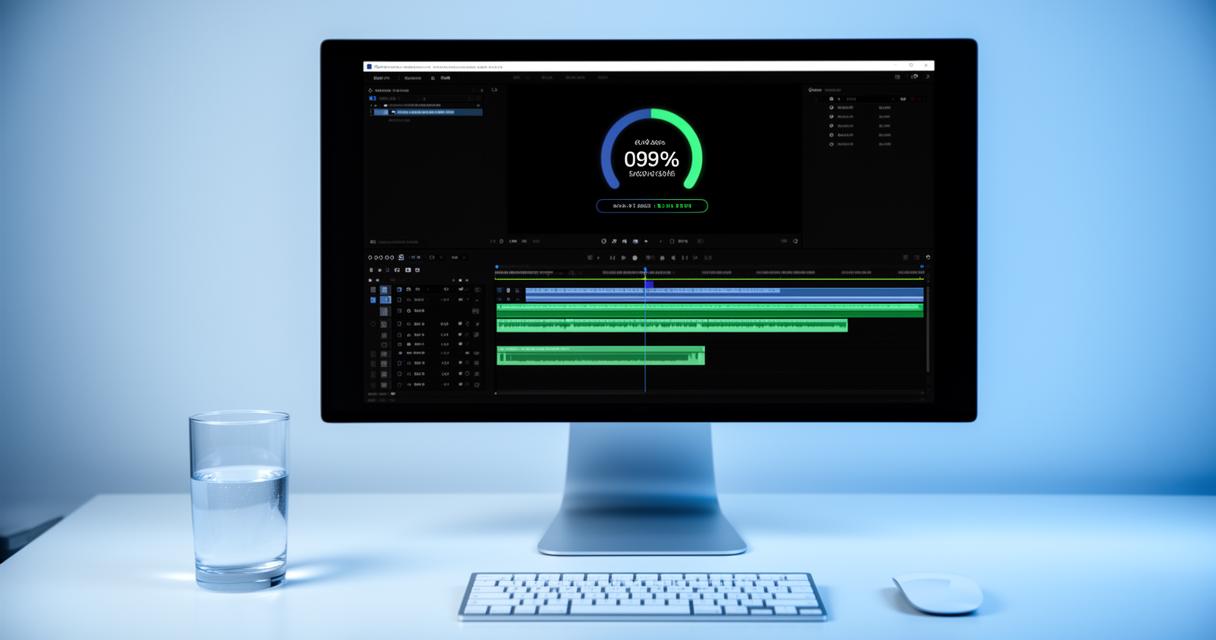
Initiating the Video Format Conversion and Monitoring Progress
With your video uploaded and settings configured, you're ready to initiate the conversion process. This step is typically as simple as clicking a button labelled « Convert, » « Start, » or « Process, » depending on the tool you're using. Once initiated, the software or platform will begin encoding your video according to the specifications you've set. The duration of this process can vary widely based on factors such as the length and resolution of the original video, the complexity of the target codec, and the processing power of the system handling the conversion. For example, converting a lengthy 4K video to a highly efficient format like H.265 may take considerably longer than a quick conversion of a short clip to a widely supported format like H.264.
Many modern conversion tools provide real-time progress indicators, allowing you to monitor the status of your conversion and estimate the remaining time. These indicators can be particularly useful for planning your workflow, especially if you're managing multiple conversions or working to tight deadlines. Some platforms also offer the ability to queue multiple videos for batch processing, which can significantly streamline operations for users who need to convert large volumes of content. Throughout this phase, it's important to ensure that your system remains stable and that any background processes do not interfere with the conversion. For cloud-based tools, maintaining a reliable internet connection is equally crucial, as interruptions can lead to failed conversions or corrupted files.
For organisations that prioritise uptime and reliability, solutions that boast a 99.999 percent uptime SLA can provide peace of mind, ensuring that conversion processes are completed efficiently and without unexpected downtime. This level of reliability is particularly important for businesses operating in sectors such as on-demand services, real money gaming, and healthcare technology, where delays or disruptions can have significant consequences. By closely monitoring the conversion process and leveraging robust tools and platforms, you can minimise risks and ensure that your videos are ready for distribution or further processing without unnecessary delays.
Downloading and verifying your successfully converted video file
Once the conversion process is complete, the final step is to download your newly converted video file and verify that it meets your quality and compatibility standards. Most tools will prompt you to save the file to your local storage or provide a direct download link if you're using an online platform. It's advisable to organise your converted files systematically, using clear naming conventions and folder structures, to avoid confusion and facilitate easy retrieval in the future. This is especially important for users who regularly convert multiple videos for different purposes, such as marketing campaigns, educational content, or entertainment.
Verification is a critical component of the conversion workflow that should never be skipped. Begin by playing the video using a reliable media player to check for any issues with visual quality, audio synchronisation, or playback smoothness. Pay particular attention to the resolution, bitrate, and codec, ensuring that they align with your intended specifications. If the video is destined for a specific platform or device, such as a smartphone, tablet, or smart television, consider testing playback on that device to confirm compatibility. This step is particularly important given the increasing device compatibility that modern compression techniques aim to achieve, as even minor discrepancies can result in poor user experiences.
In addition to playback testing, it's wise to review the file size of the converted video. One of the primary benefits of video compression is the reduction in storage costs and bandwidth requirements, so verifying that the file size is within acceptable limits is essential. If the file is larger or smaller than expected, you may need to revisit your output settings and perform another conversion. Some advanced users also employ automated testing frameworks or quality assessment tools to evaluate factors such as peak signal-to-noise ratio and structural similarity, providing quantitative metrics that can guide further optimisation. By thoroughly verifying your converted video, you can ensure that it delivers the desired performance across all platforms and devices, ultimately enhancing user experience and maximising the impact of your content.
As technology continues to advance and video consumption trends evolve, staying informed about the latest compression techniques, codecs, and conversion tools is essential. With 54 percent of tech leaders acknowledging that APIs speed up innovation, the integration of cutting-edge APIs and SDKs into video workflows is set to become increasingly prevalent. Whether you're working in dating solutions, education technology, financial services, or any other sector, mastering the art of video format conversion and compression will empower you to deliver high-quality content efficiently and effectively. By following the steps outlined in this guide—identifying your current format, selecting the right target, configuring your tools, executing the conversion, and verifying the results—you can navigate the complexities of video format transitions with confidence and precision.